
Your purchases
Access your downloads
Use any account identifier and password that belong to the same Avalab account.
Sign in to an existing account
The login is flexible: choose one recognized account identifier and one accepted password.
What can I enter?
Username / account identifier — choose one
- Your personal Avalab User ID created in Account Settings
- The PayPal email address used for a purchase
- A Second Life avatar name linked to the account
Password — choose one
- Your personal Avalab password
- Any Avalab Purchase ID belonging to this account, including a renewal Purchase ID
PayPal example: PayPal email address + Avalab Purchase ID
PayPal Transaction IDs are not supported as login passwords.
First purchase without an account
You do not need to create an Avalab account before buying.
- Choose a product and complete the PayPal checkout.
- Avalab automatically creates an account for the PayPal email address.
- After PayPal confirms the payment, you are signed in automatically.
Save these credentials:
- Login ID
- Your PayPal email address
- Password
- The Avalab Purchase ID shown on new PayPal receipts
Create a personal login
After signing in, you can add a User ID and password that you choose.
- Open Account Settings.
- Choose an available personal User ID.
- Set your personal password.
Your PayPal email address, avatar name, and Purchase IDs remain valid ways to access the linked account.
Sign in from Second Life
Let your logged-in avatar create a secure Avalab login link.
- Log in to Second Life with the avatar that made the purchase.
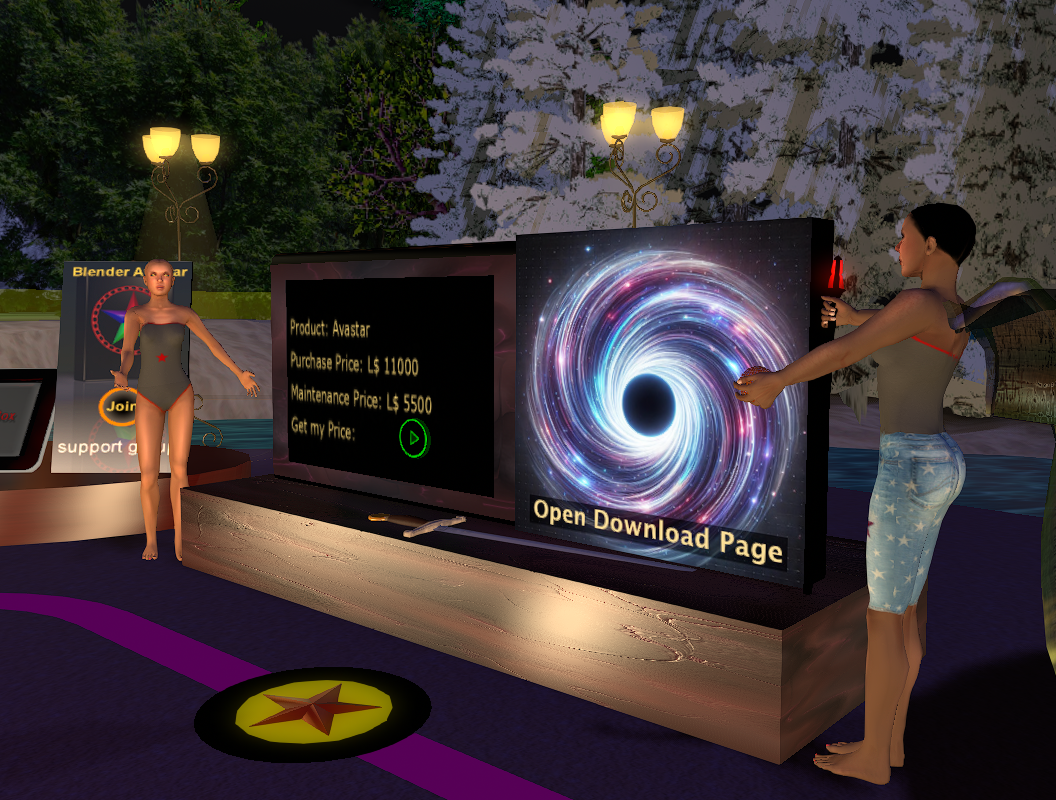
- Visit the JASS Shop and click the Open Download Page panel.
- Open the offered link in your browser.
This works only after the avatar has made a purchase.
Sign in with Discord
Use Discord after it has been connected to your Avalab account.
- Sign in to Avalab using one of the other supported methods.
- Open Account Settings and enable Discord as an authentication method.
- For future visits, use the Discord login button below.
A Discord account that has not been connected beforehand cannot access your purchases.
Login with DiscordThere is no password reset by email
Email delivery is not reliable enough for account recovery. Use any Purchase ID from your account, Second Life, a previously connected Discord account, or contact support.