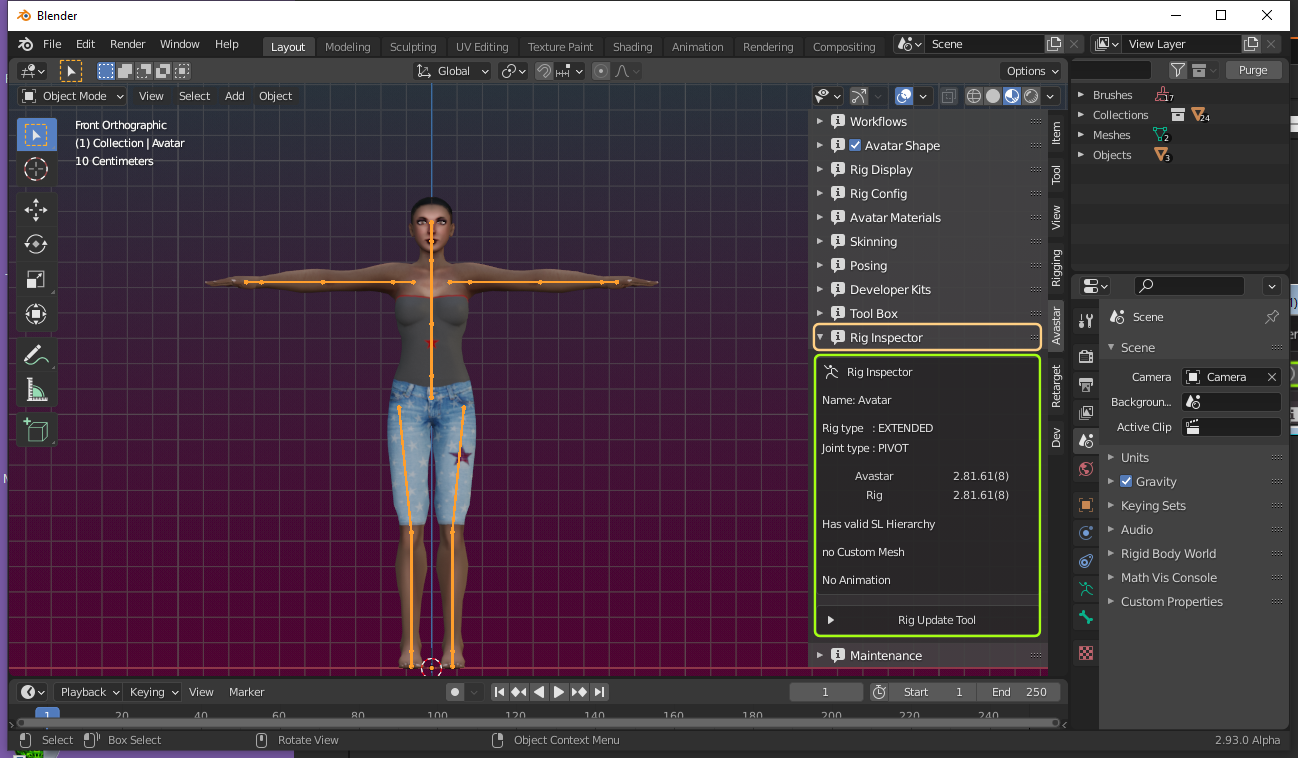
The Avastar Tab
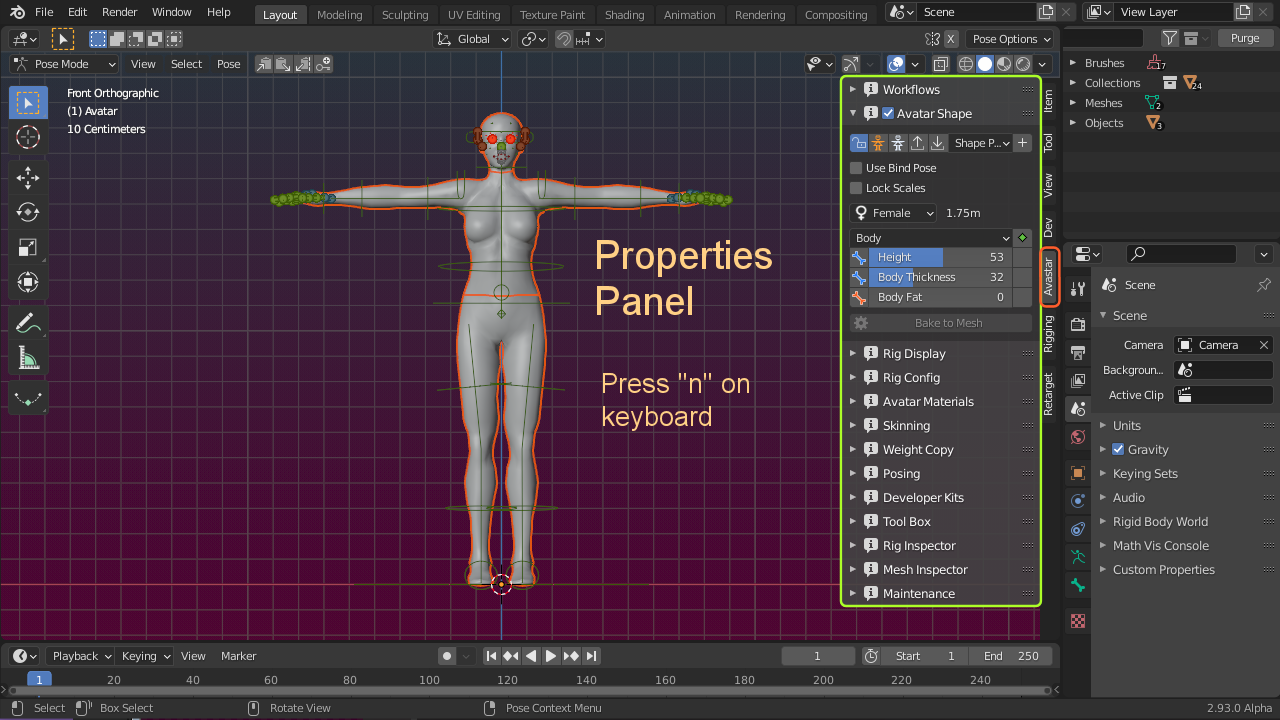
The Avastar Function Tab contains most of the additions provided by the Addon. You need to be familiar with the various panels offered here.
Section Pages
Avatar Shape Editor
In a Nutshell: We support the same Shape Editing System that you can find in SL, OpenSim or other comparable worlds. You find the Avatar Shape Editor in the N-Panel – Avastar Tab.
Read more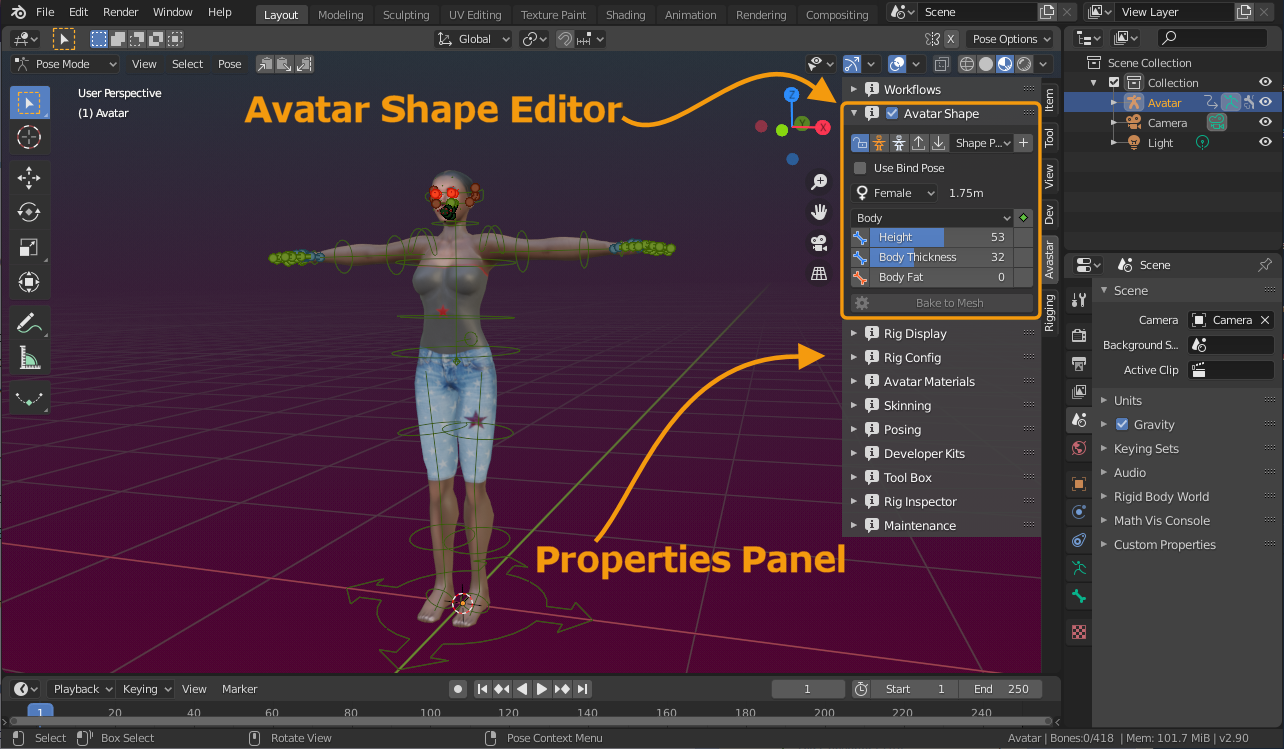
Rig Display
A Rig is an animation control system for a Model. Rigs can use different methods for animating. For example it is possible to animate a mesh only by using empties and constraints, so no single bone is involved, yet it is an…
Read more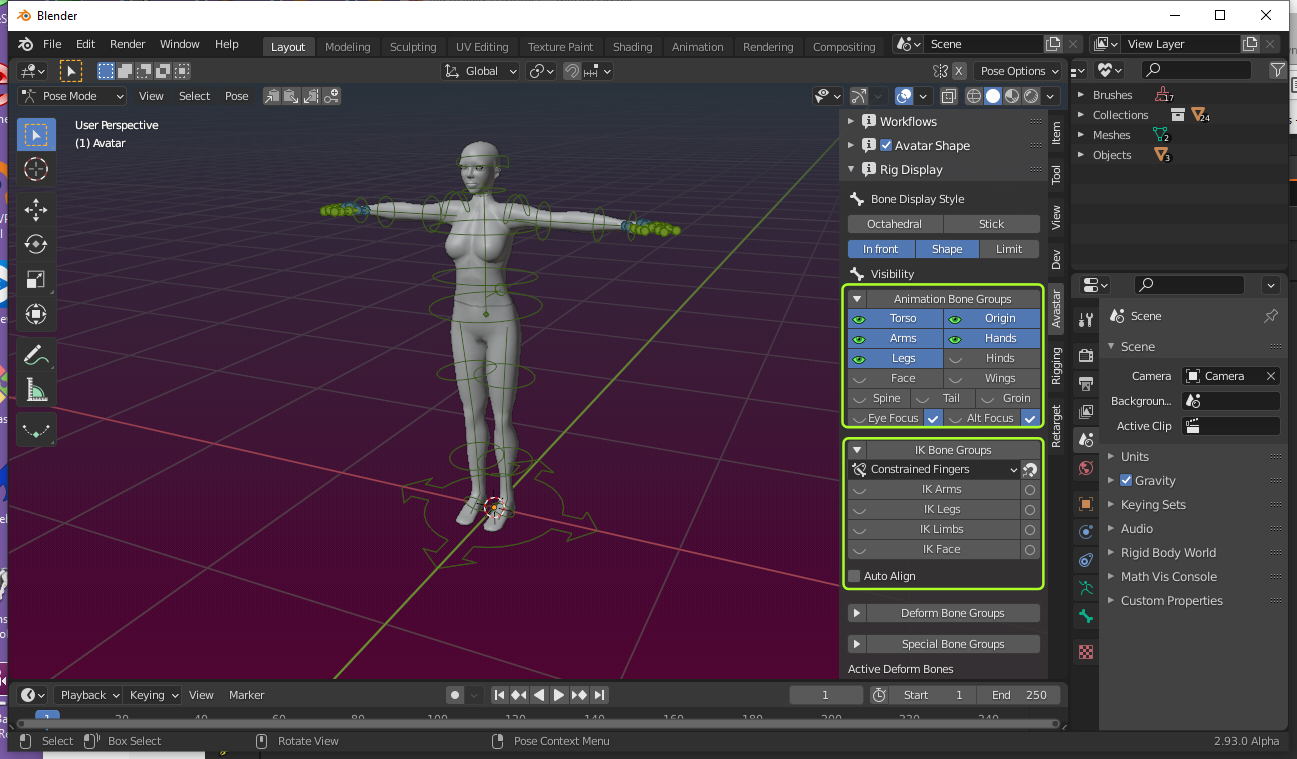
Rig Config Panel
Not all bones take direct influence on the mesh. In fact by default only the 26 SL Base Bones of the Avastar Rig are directly used as Deforming bones for (classic) skeletal Mesh animation.
Read more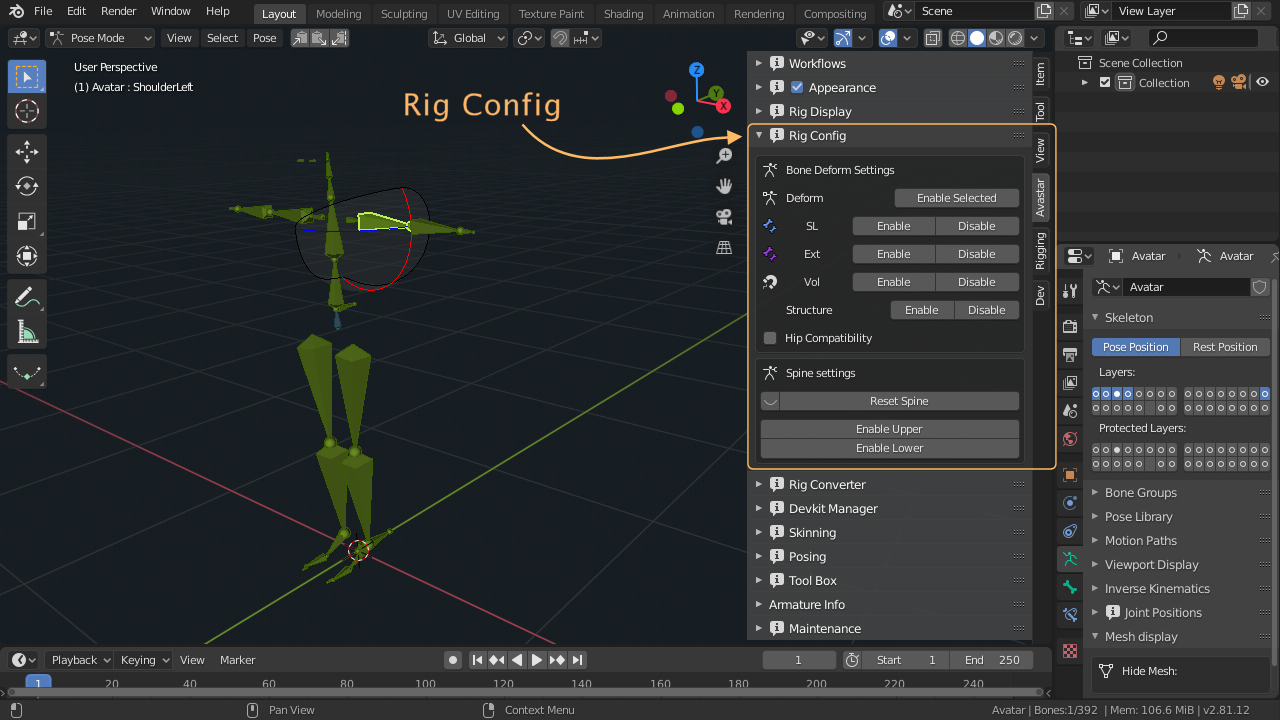
Material Presets
Material Presets. The Material Presets Cheat Sheet
Read more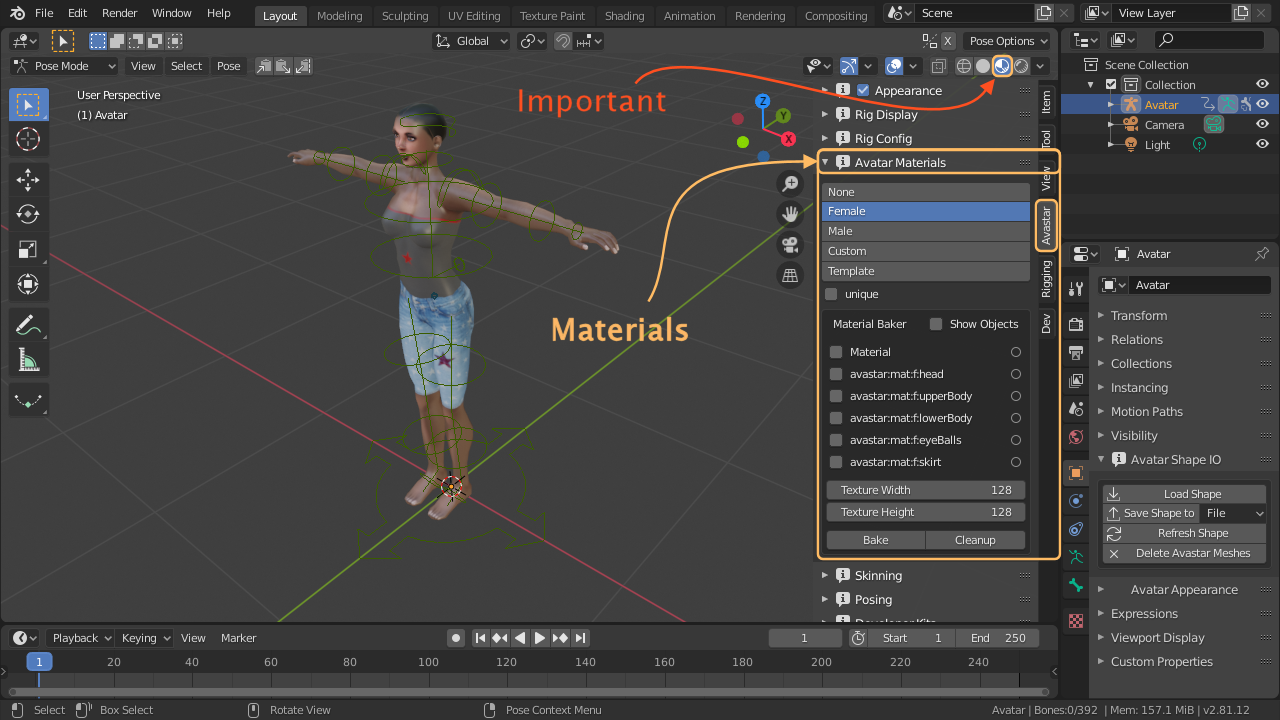
Skinning
Skinning is the process of creating a connection between a Mesh (the Skin) and a Rig (the Armature). More specifically in the Skinning process we connect each bone of the Rig’s Skeleton to each vertex of a mesh, giving a…
Read more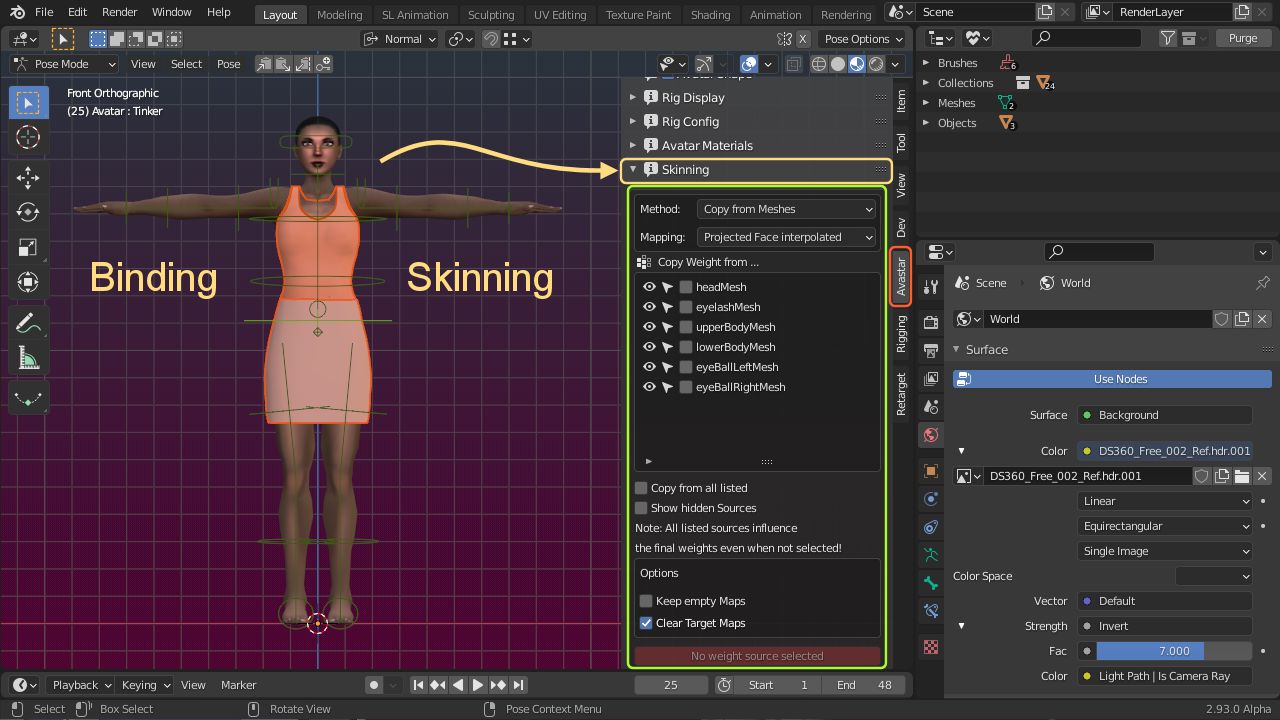
Developerkit Manager
Note: We do not ship any third party developer kits! You have to get the developer kits from their creators!
Read more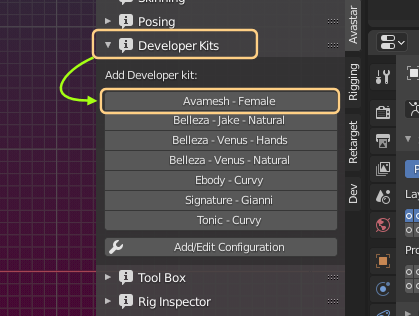
Weight Copy
Skinning is the process of creating a connection between a Mesh (the Skin) and a Rig (the Armature). More specifically in the Skinning process we connect each bone of the Rig’s Skeleton to each vertex of a mesh, giving a…
Read more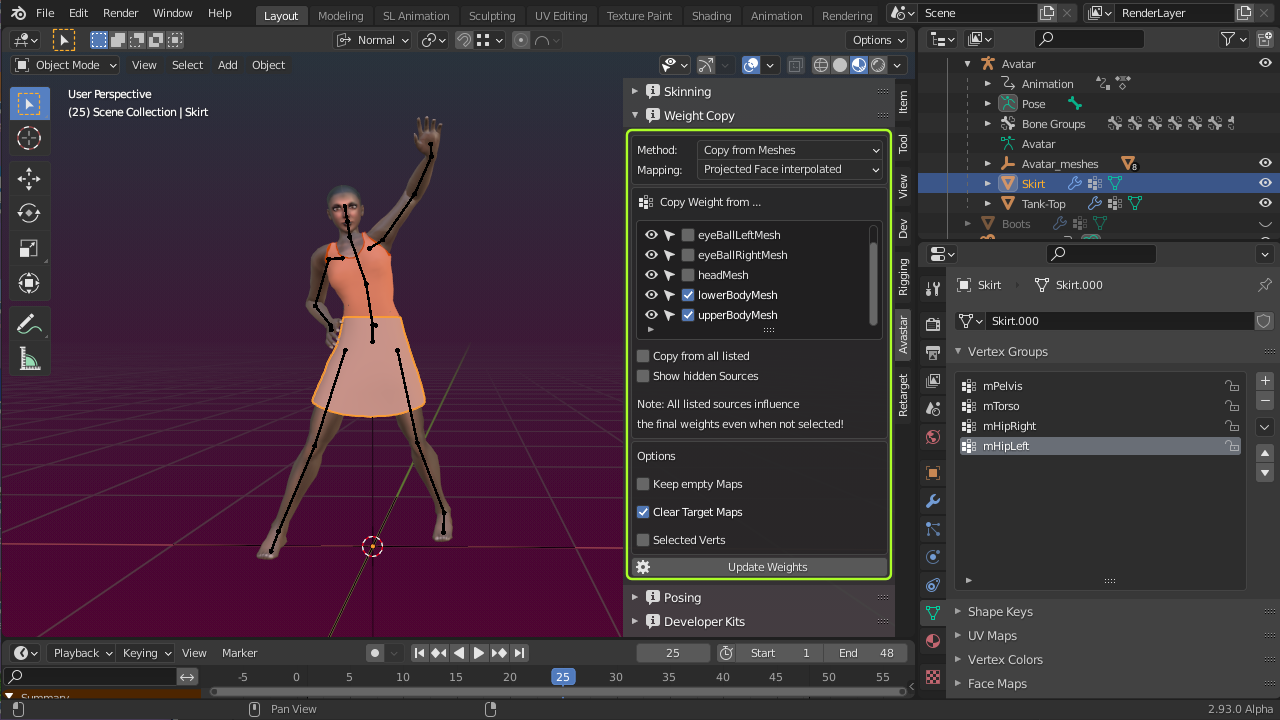
Parametric Fitting
This video is about parametric fitting. I have taken the simple tank-top from the fitted Mesh video series for demonstration…
Read morePosing Panel
This panel provides a set of functions suitable for posing and animating the Avastar rig. Most parts of this panel are only available for Armatures in Pose mode. However, there is one more workflow that actually combines…
Read more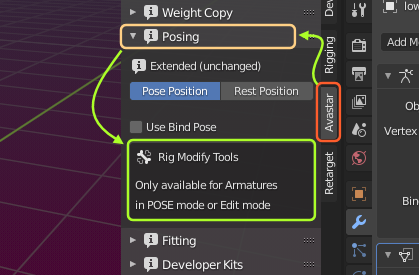
The Fitting Panel
The original SL Rig contains a set of special bones (Collision Volumes, also named Fitted Mesh Bones) which add more flexibility to shaping Mesh attachments with the Shape Sliders. The rig is organized in pairs of bones which we…
Read more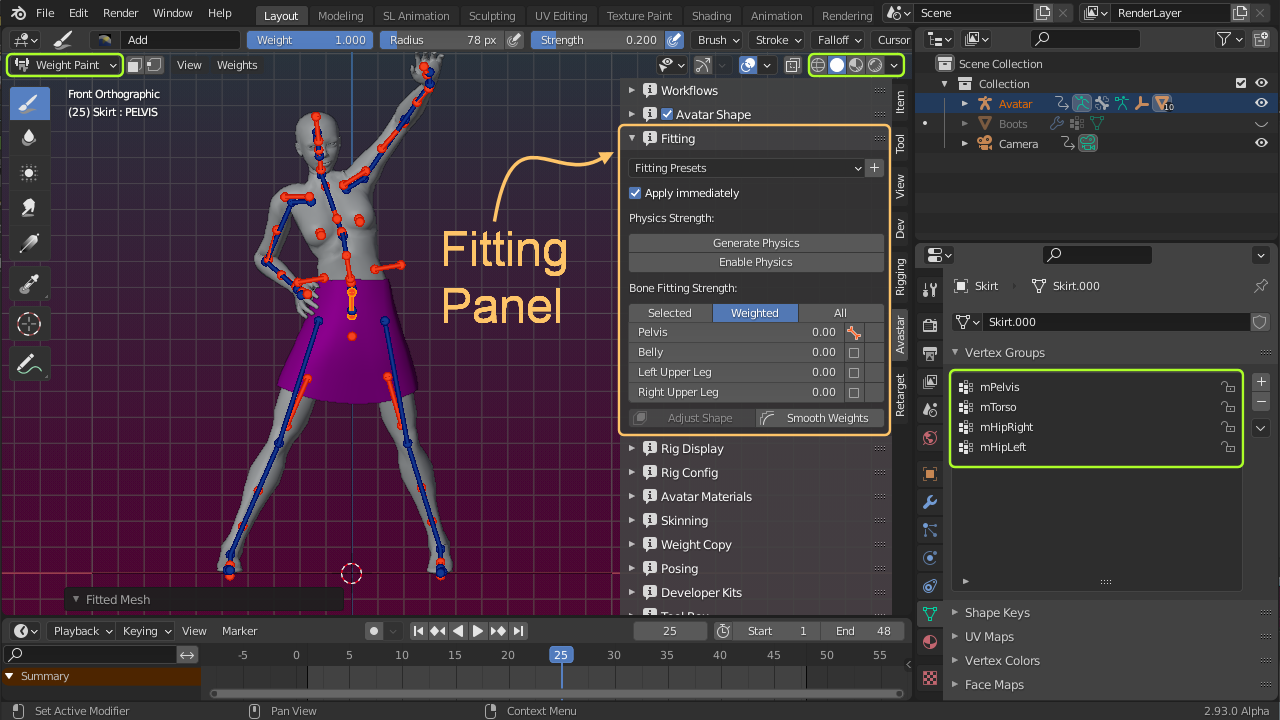
Tool Box
The Avastar Tools panel provides a bunch of useful tools related to various topics. The toolbox contains different tools depending on the active object type and mode. Currently we provide tools for Armatures and for Meshes:
Read more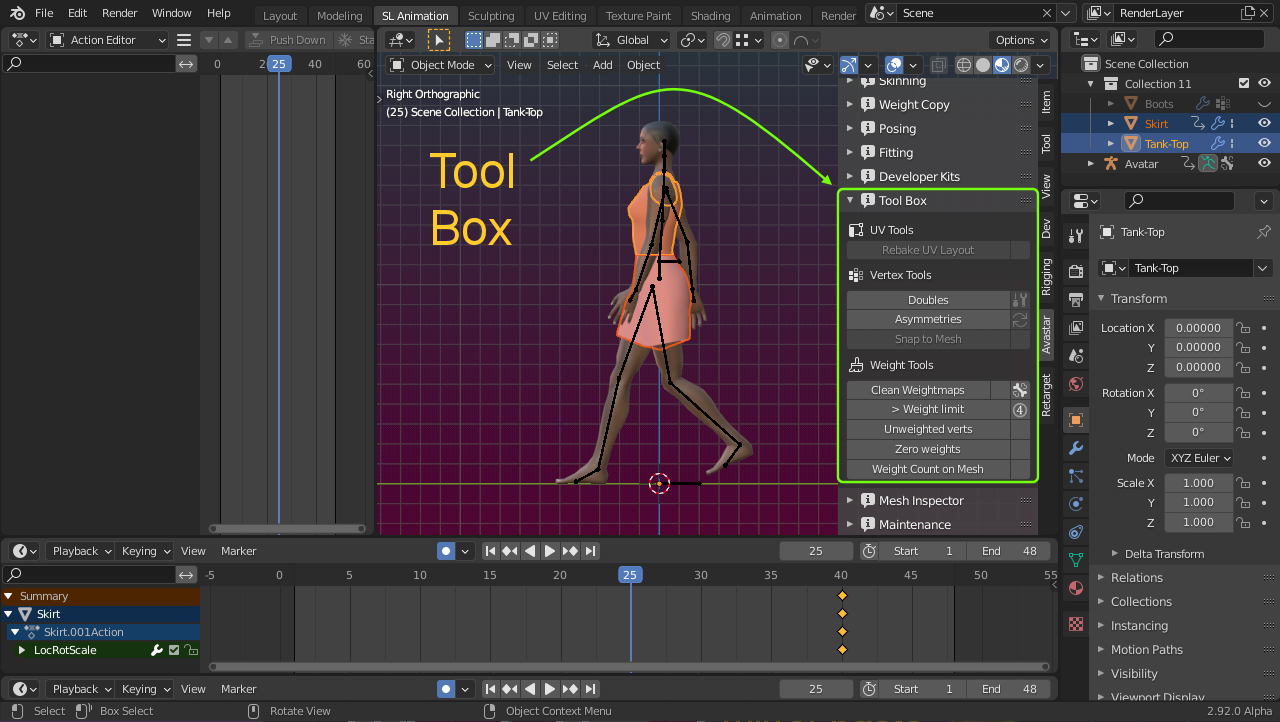
Workflows
Avastar-2 comes with a huge amount of functionality and options. This can be very overwhelming for beginners and occasional Users. So we have added a settings panel from where you can make the Avastar panels less cluttered for…
Read more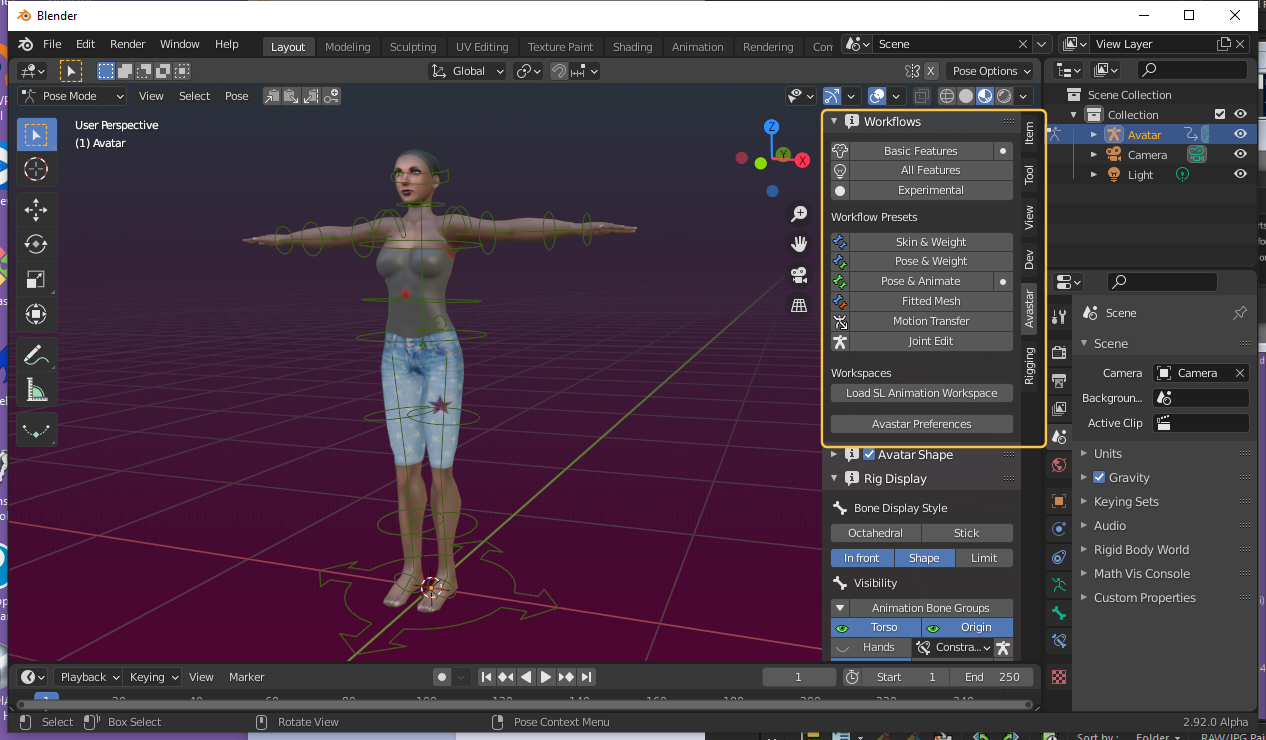
Workflows
Avastar comes with a huge amount of functionality and options. This can be very overwhelming for beginners and occasional Users. So we have added a settings panel from where you can make the Avastar panels less cluttered for…
Read moreMesh Inspector
The Mesh Info panel exposes details of the selected Mesh Objects like Vertex count and Triangle count, etc. The tool also makes some very basic checks on the Selected mesh Objects and informs you if it found anything remarkable…
Read more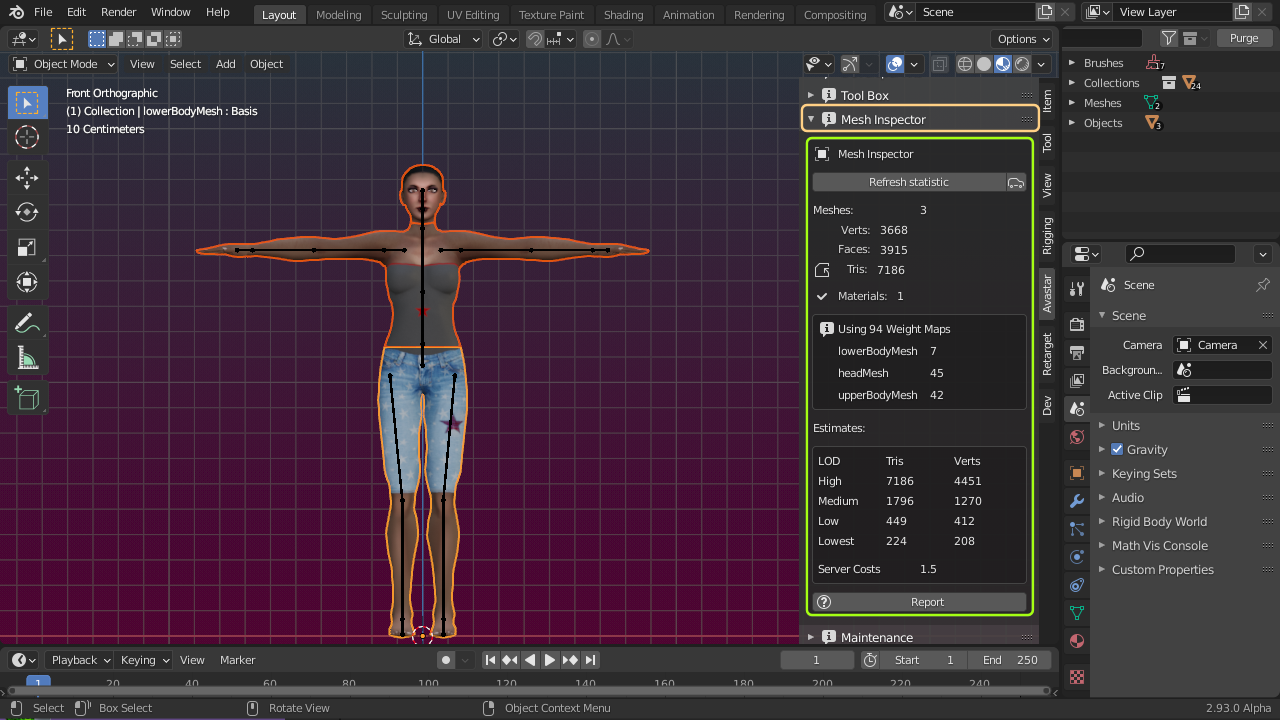
Maintenance
The Maintenance Panel allows you to quickly see which products you have installed. You can check for product updates, download and install a new product version, create Tickets.
Read more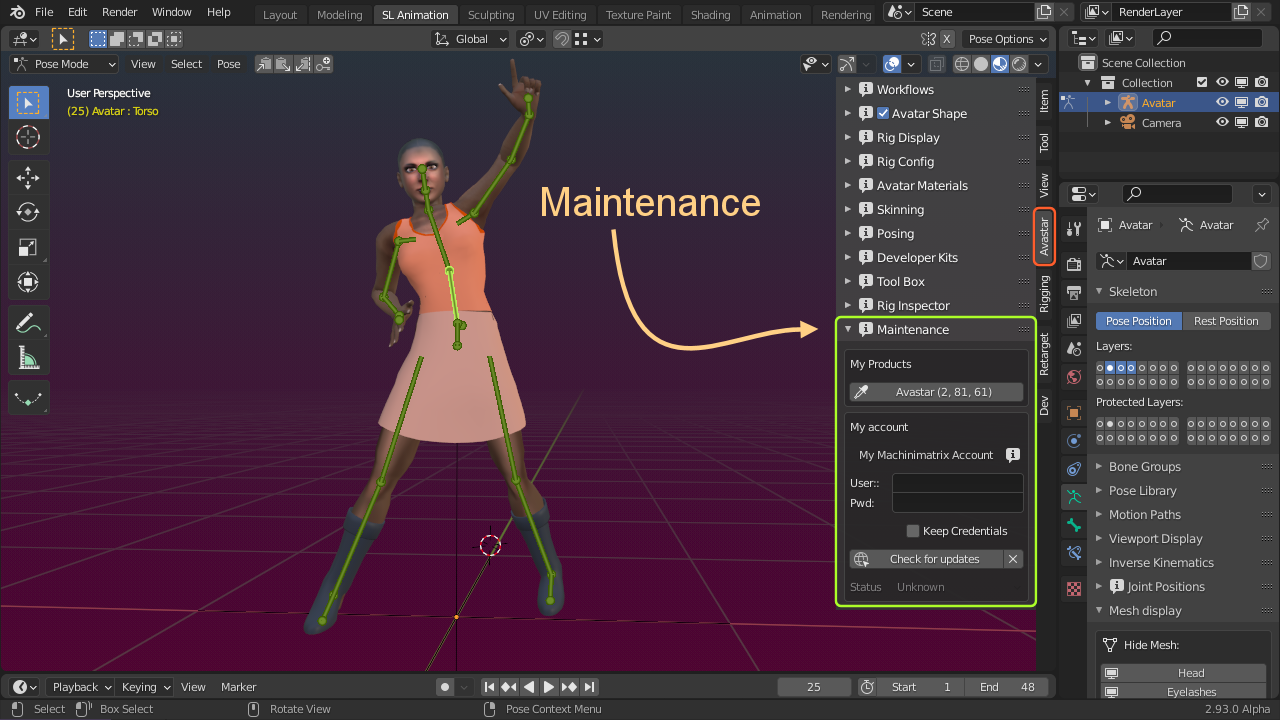
Rig Inspector
The Armature Info Panel contains following data:
Read more